GameSmartPOS

Point of sale built for video game and tabletop stores.

Month-to-month. No contract. Built to keep detailed records of who, when, and how for every transaction type—buying, selling, and inventory entry.

No contract
Local-first reliability
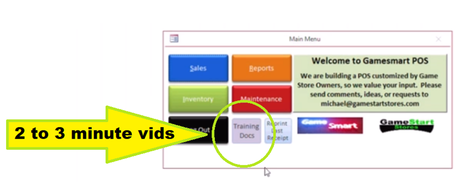
Built-in training videos

Features that matter for game stores

Designed specifically for video game and tabletop stores, with integrated pricing, fast workflows, and detailed reporting.

Pricing + repricing

Fully integrated with PriceCharting for pricing built into day-to-day processes.

Multi-store

Transfer inventory between stores and view stock levels down to specific titles across locations.

Membership + store credit

Membership programs, gift cards, and store credit built in and integrated.

Operational tools

  • Discounts by category, by membership, or on the fly per transaction.
  • Pre-orders and customer request notifications built in.
  • Email integration for sales info, closing reports, and customer requests.
  • Organize by BIN (recommended) or alphabet for easy transition.

Reliability + insight

  • Local data storage with OneDrive backup so you can keep working offline.
  • User-friendly reporting, with custom reports available on request.
  • Automatic label + receipt printing and barcode scanner support.
  • Fraud protection reporting to help spot outliers.

Get info fast at the scan of a barcode

Quickly see what to buy, trade, and sell items for—without leaving the flow of a transaction.

Talk to us

Screenshots

Clean, fast screens for day-to-day work, plus built-in training videos.
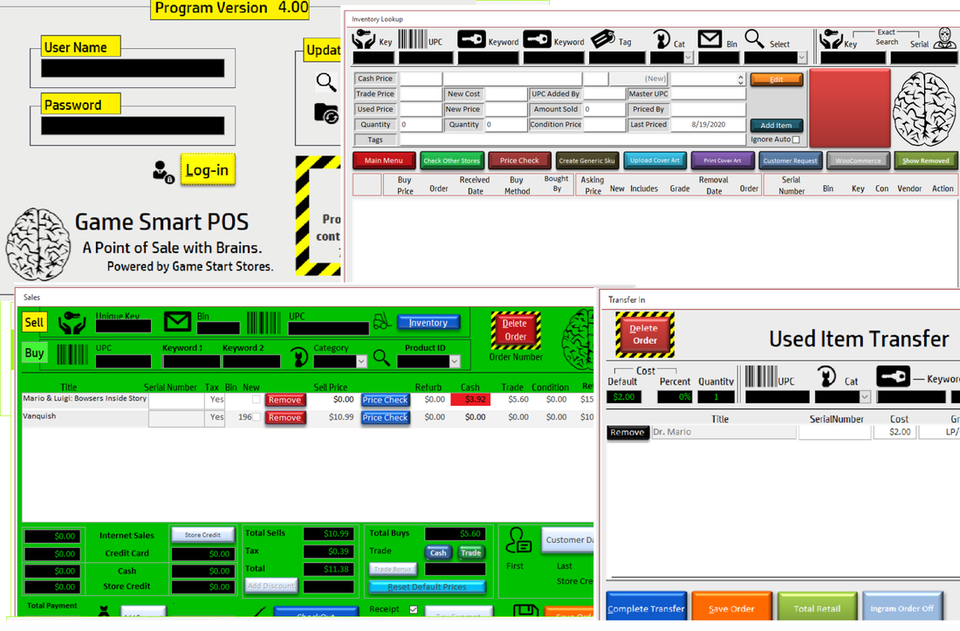
Point of sale interface screens
Day-to-day screens and workflows.
Training videos and documentation screen
Short, narrated training clips integrated into the POS.

Hardware guidance

Need help picking hardware? Here’s a quick reference to typical POS hardware.

Typical setup

  • PC workstation
  • Receipt printer + label printer
  • Barcode scanner
  • Cash drawer
  • Optional: customer-facing display

Want a specific recommendation? Send your store size and lane count and we’ll suggest a setup.
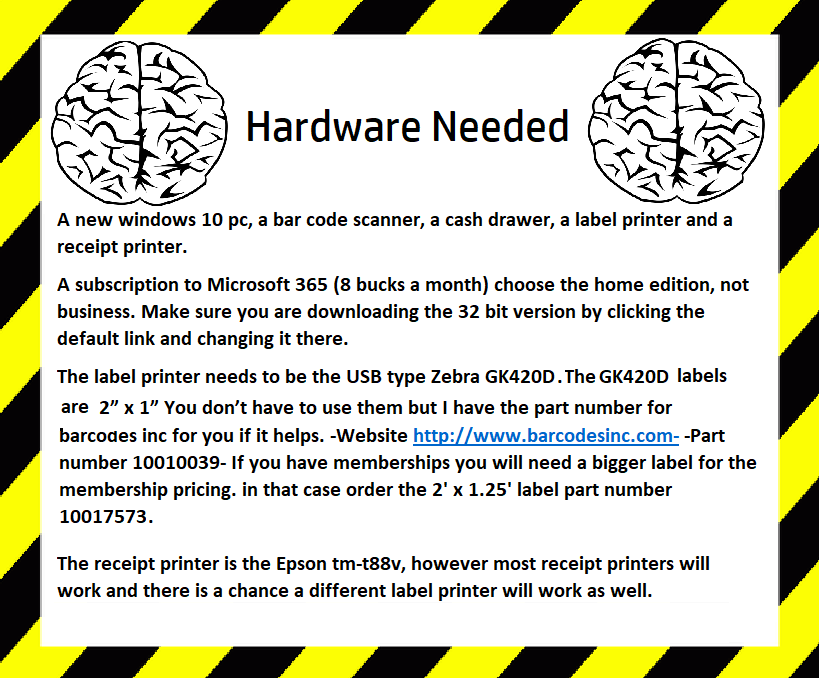
Suggested hardware list and examples

Contact

Tell us about your store and what you need help with. We’ll follow up with next steps and a demo.

Quick message

What to include

  • Number of stores and checkout lanes
  • Primary categories (video games, tabletop, singles, etc.)
  • Whether you do trade-ins and store credit
  • Any integrations you care about (e.g., TCGPlayer for singles)

Update the destination email in script.js when you’re ready.